Supademo is no-code demo software that makes it easy to create and share interactive product demos using AI. Now, you can embed a Sirnia form as part of your demos, too.

All Sirnia users can embed forms into Supademo for free.

How it works
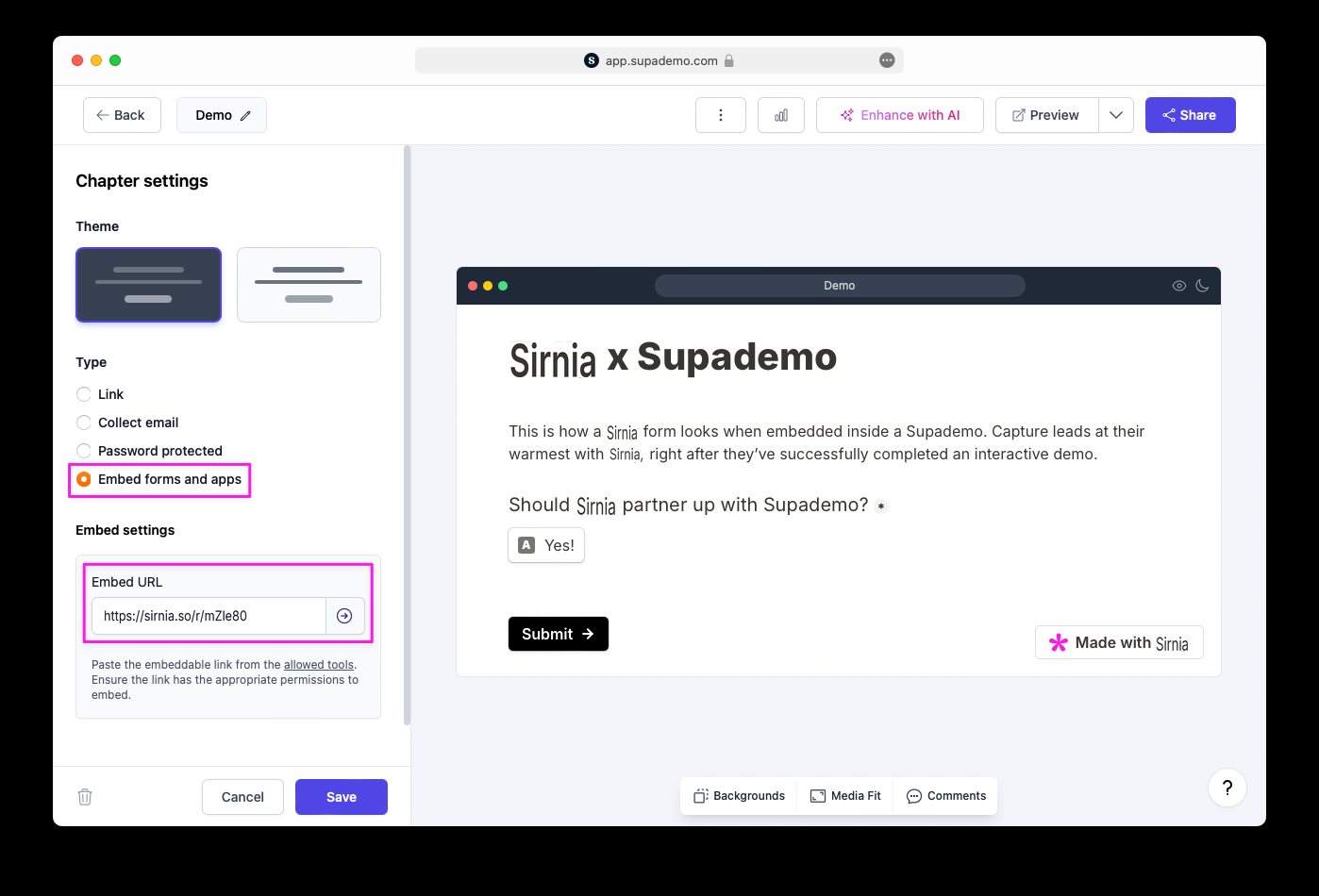
Supademo uses Chapters — overlays and CTAs you can add to your demo for context or to prompt user actions. You can now embed Sirnia forms directly into these Chapters. This allows you to seamlessly integrate user interactions like feedback collection or sign-ups all within your product demo.
Embed a Sirnia form into Supademo
Go to the
Share tab of your published Sirnia form and click to Copy the share link.
Open your demo editor in Supademo and click on
Chapter in the navbar. 
Under
Type, select Embed forms and apps and paste the Sirnia share link in the Embed URL field. Then click Save. That’s it — your Sirnia form will now show in the demo.
→ Return to Embed guides