Sirnia lets you bring your existing forms straight into Sirnia, no rebuilding, no copy-pasting. Import from Typeform in one click, upload a file, or describe what you need to Sirnia AI.

Importing forms is free for all Sirnia users.
Import forms from Typeform
Connect your Typeform account and import any of your forms in one click (questions, logic, and structure included).

Import forms from a file
Upload a PDF, image or screenshot, JSON, CSV, Markdown or Word file, and Sirnia turns it into an editable draft form. Upload multiple files at once and Sirnia creates a form for each one.
This is the import to use when you're moving from a builder Sirnia doesn't connect to yet, digitizing a paper form, or turning existing content like a spreadsheet, a Markdown/Word doc or a form you found online into something people can fill out.
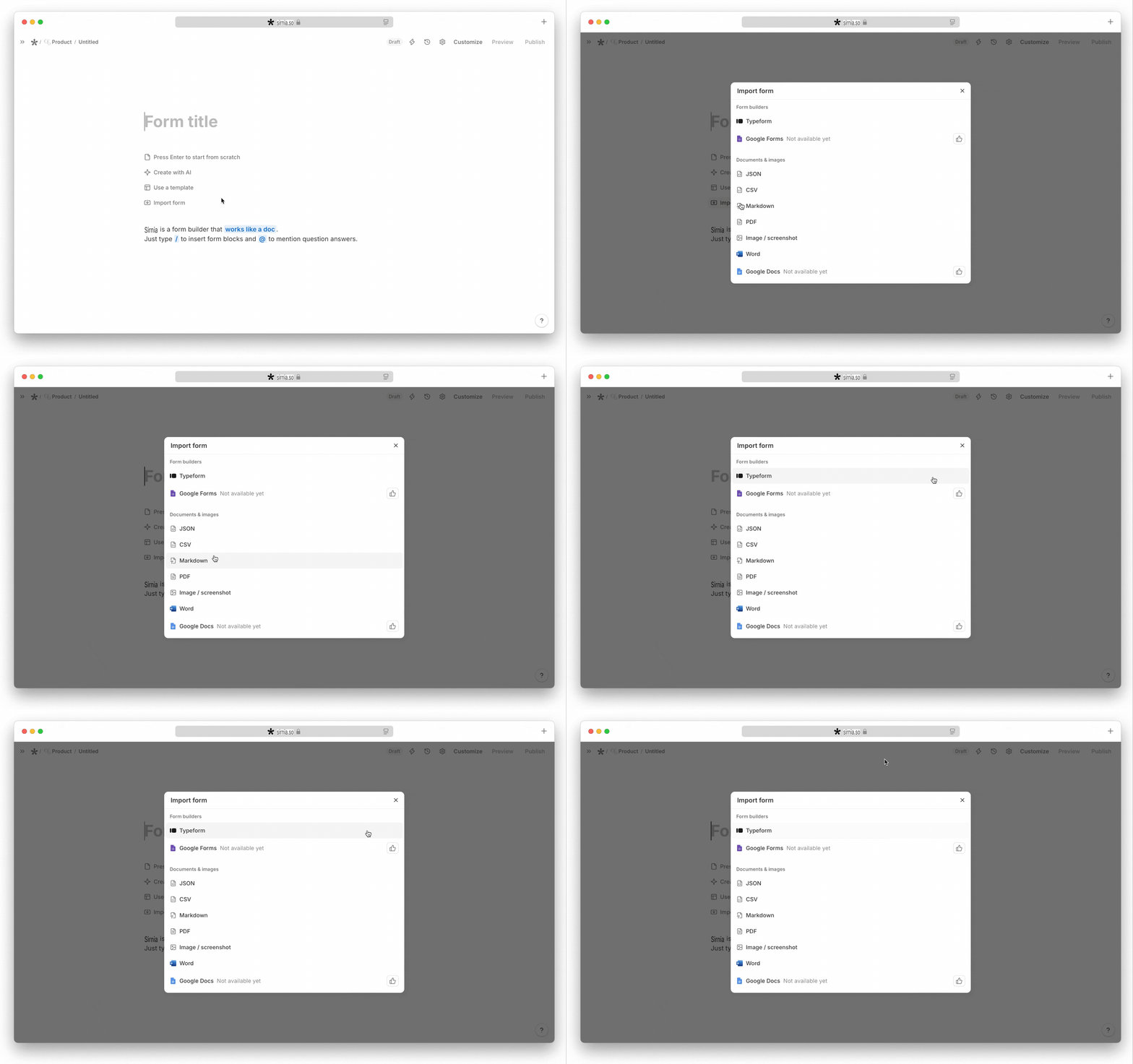
How it works:
Click
+ New form, select Import from, then choose your file type.- One file → your draft form opens in the builder so you can review and edit it.
- Multiple files → each file becomes its own draft form, and you land in your workspace to review them.

Importing a file generates the form's questions. Conditional logic and calculations aren't extracted automatically, add these after import if your form needs them.
Use Sirnia AI
Prefer a more conversational approach? Sirnia AI builds a complete form from a plain-language prompt, or recreates one from a screenshot or PDF shared directly in the chat, logic, structure, and branding included.

Frequently asked questions
What file types can I import into Sirnia?
You can import forms from Typeform in one click, with logic included, or upload a file: PDF, image or screenshot, JSON, CSV, or Markdown. Upload multiple files at once and Sirnia creates a draft form for each one.
How do I convert a PDF into an online form?
Create a new form, choose
Import form, and upload your PDF. Sirnia rebuilds it as an editable draft form. Review the questions, make any tweaks, and share it, your PDF is now an online form that collects submissions automatically.Can I turn a PDF into a fillable form for free?
Yes. Importing forms is free for all Sirnia users, with unlimited forms and submissions.
Can I create a form from an image or screenshot?
Yes. Upload a photo or screenshot of any form, a paper form, a form you found online, or a form from another tool, and Sirnia recreates it as a native Sirnia form.
How do I digitize a paper form?
Take a photo of the paper form, upload it via
Import form, and Sirnia turns it into an online form you can share with a link or embed on your website.Can I import my Typeform forms into Sirnia?
Yes. Connect your Typeform account via OAuth and Sirnia rebuilds your forms automatically, including questions, logic, and structure. See the full guide for details.
Can I import an Excel spreadsheet?
Save your spreadsheet as a CSV file and import it, Sirnia turns it into a draft form.
→ back to Get started